
Screenshots
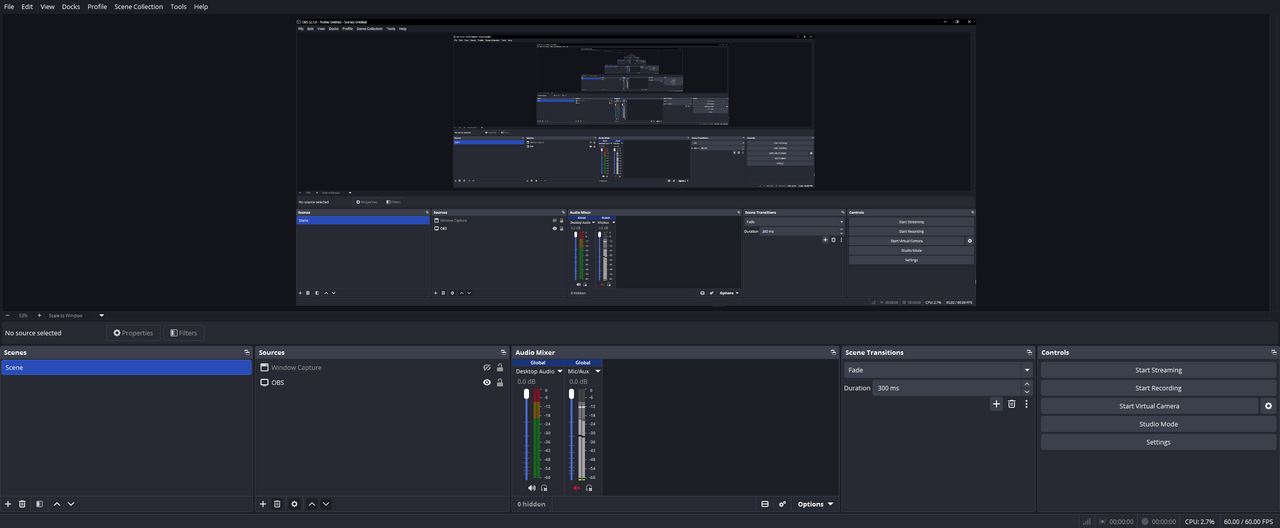
About OBS Studio
OBS Studio is the free, open-source standard for live streaming and screen recording, used by everyone from first-time streamers to professional broadcasters. Compose scenes from multiple cameras, windows, images and browser sources, then switch between them live.
A powerful audio mixer with per-source filters, unlimited scenes, and a deep plugin ecosystem give you a broadcast studio on your desktop, with direct output to Twitch, YouTube and any RTMP destination.
Key features
- ✓High-performance recording and live streaming
- ✓Unlimited scenes and source composition
- ✓Studio-grade audio mixer with filters
- ✓Direct output to Twitch, YouTube and RTMP
- ✓Extensive plugin and script ecosystem
- ✓Free, open source, no watermarks
Requirements
Windows 10 / 11, 64-bit
OBS Studio — frequently asked questions
Is OBS Studio free to download?+
Yes. OBS Studio is free and open source, so you can use it at no cost.
Is OBS Studio safe to download?+
Yes. HivApps links to the latest OBS Studio build and keeps listings clean, with no bundled extras. As always, keep your antivirus on and only install software you trust.
What is the latest version of OBS Studio?+
The latest version listed here is OBS Studio 30.2, updated Aug 28, 2026.
What do I need to run OBS Studio?+
Windows 10 / 11, 64-bit
How do I install OBS Studio on Windows?+
Click the Download button on this page, run the installer once it finishes downloading, and follow the on-screen setup steps.
Tags
Reviews
Write a review
Download OBS Studio for free
Latest version (30.2) · Safe & clean