
Screenshots
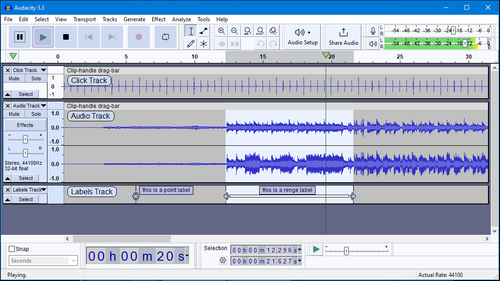
About Audacity
Audacity is the free, open-source audio editor that has recorded and cleaned up more podcasts, voiceovers and music demos than almost any tool alive. Record from a microphone or line-in, then cut, layer and mix across unlimited tracks.
A full stack of effects covers noise reduction, EQ, compression and more, and support for VST and LADSPA plug-ins means you can extend it as far as you need. Export to MP3, WAV, FLAC and beyond.
Key features
- ✓Multi-track recording and editing
- ✓One-click noise reduction and repair
- ✓Built-in effects plus VST plug-in support
- ✓Export to MP3, WAV, FLAC and more
- ✓Precise waveform and spectrogram editing
- ✓Free and open source on every platform
Requirements
Windows 10 / 11, 64-bit
Audacity — frequently asked questions
Is Audacity free to download?+
Yes. Audacity is free and open source, so you can use it at no cost.
Is Audacity safe to download?+
Yes. HivApps links to the latest Audacity build and keeps listings clean, with no bundled extras. As always, keep your antivirus on and only install software you trust.
What is the latest version of Audacity?+
The latest version listed here is Audacity 3.5.1, updated Aug 27, 2026.
What do I need to run Audacity?+
Windows 10 / 11, 64-bit
How do I install Audacity on Windows?+
Click the Download button on this page, run the installer once it finishes downloading, and follow the on-screen setup steps.
Tags
Reviews
Write a review
Download Audacity for free
Latest version (3.5.1) · Safe & clean