
Screenshots
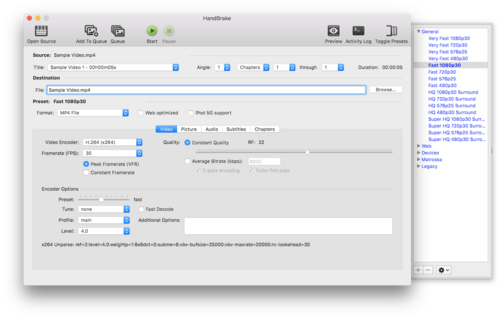
About HandBrake
HandBrake is the go-to open-source tool for shrinking and converting video. Feed it almost any source file and it will transcode to efficient MP4 or MKV using modern H.264, H.265 and AV1 encoders, with device-ready presets for phones, tablets and TVs.
Batch queues, constant-quality encoding and subtitle passthrough make it equally happy converting a single clip or an entire library overnight.
Key features
- ✓Convert video from nearly any format
- ✓Modern H.264, H.265 and AV1 encoding
- ✓One-click presets for phones and TVs
- ✓Batch queue for whole libraries
- ✓Constant-quality (RF) encoding
- ✓Subtitle and chapter passthrough
Requirements
Windows 10 / 11, 64-bit
HandBrake — frequently asked questions
Is HandBrake free to download?+
Yes. HandBrake is free and open source, so you can use it at no cost.
Is HandBrake safe to download?+
Yes. HivApps links to the latest HandBrake build and keeps listings clean, with no bundled extras. As always, keep your antivirus on and only install software you trust.
What is the latest version of HandBrake?+
The latest version listed here is HandBrake 1.8.1, updated Aug 26, 2026.
What do I need to run HandBrake?+
Windows 10 / 11, 64-bit
How do I install HandBrake on Windows?+
Click the Download button on this page, run the installer once it finishes downloading, and follow the on-screen setup steps.
Tags
Reviews
Write a review
Download HandBrake for free
Latest version (1.8.1) · Safe & clean