
Screenshots
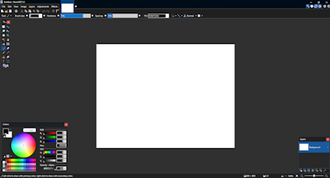
About Paint.NET
Paint.NET hits the sweet spot between Microsoft Paint and heavyweight editors: simple enough to learn in minutes, powerful enough for real work. Layers, an unlimited history and a tidy interface make everyday photo touch-ups and image edits fast.
A lively community of plug-ins adds effects and tools, and the whole thing stays fast and lightweight on Windows.
Key features
- ✓Layer-based image editing
- ✓Unlimited undo history
- ✓Wide range of built-in effects
- ✓Community plug-in support
- ✓Fast and lightweight
- ✓Clean, approachable interface
Requirements
Windows 10 / 11, 64-bit
Paint.NET — frequently asked questions
Is Paint.NET free to download?+
Yes. Paint.NET is completely free to download and use.
Is Paint.NET safe to download?+
Yes. HivApps links to the latest Paint.NET build and keeps listings clean, with no bundled extras. As always, keep your antivirus on and only install software you trust.
What is the latest version of Paint.NET?+
The latest version listed here is Paint.NET 5.0.13, updated Aug 29, 2026.
What do I need to run Paint.NET?+
Windows 10 / 11, 64-bit
How do I install Paint.NET on Windows?+
Click the Download button on this page, run the installer once it finishes downloading, and follow the on-screen setup steps.
Tags
Reviews
Write a review
Download Paint.NET for free
Latest version (5.0.13) · Safe & clean